

Edge-perfect capture
Automatic border detection, perspective correction and shadow removal. Point, tap, done — the page comes out flat and square every time.
Point your iPhone at a contract, a receipt or a school form. PDF Scanner finds the edges, straightens the page and hands you a crisp, searchable document in seconds — then keeps it filed where you can find it again.
Most scanner apps stop at the photo. This one carries the document all the way through — from capture to signed, searchable and filed.
Automatic border detection, perspective correction and shadow removal. Point, tap, done — the page comes out flat and square every time.
Every scan becomes searchable text. Find a receipt by the amount printed on it, or copy a paragraph straight out of a paper contract.
Draw your signature once, then place it anywhere on the page. No printer, no scanner, no trip to the office.
Mark up drafts, circle the clause that matters, leave a note for whoever gets the file next — all inside the PDF.
Black & white, greyscale, colour boost and contrast presets turn a dim kitchen-table photo into something that looks properly scanned.
Your library follows you to every device signed into the same Apple ID. Lose the phone, keep the paperwork.
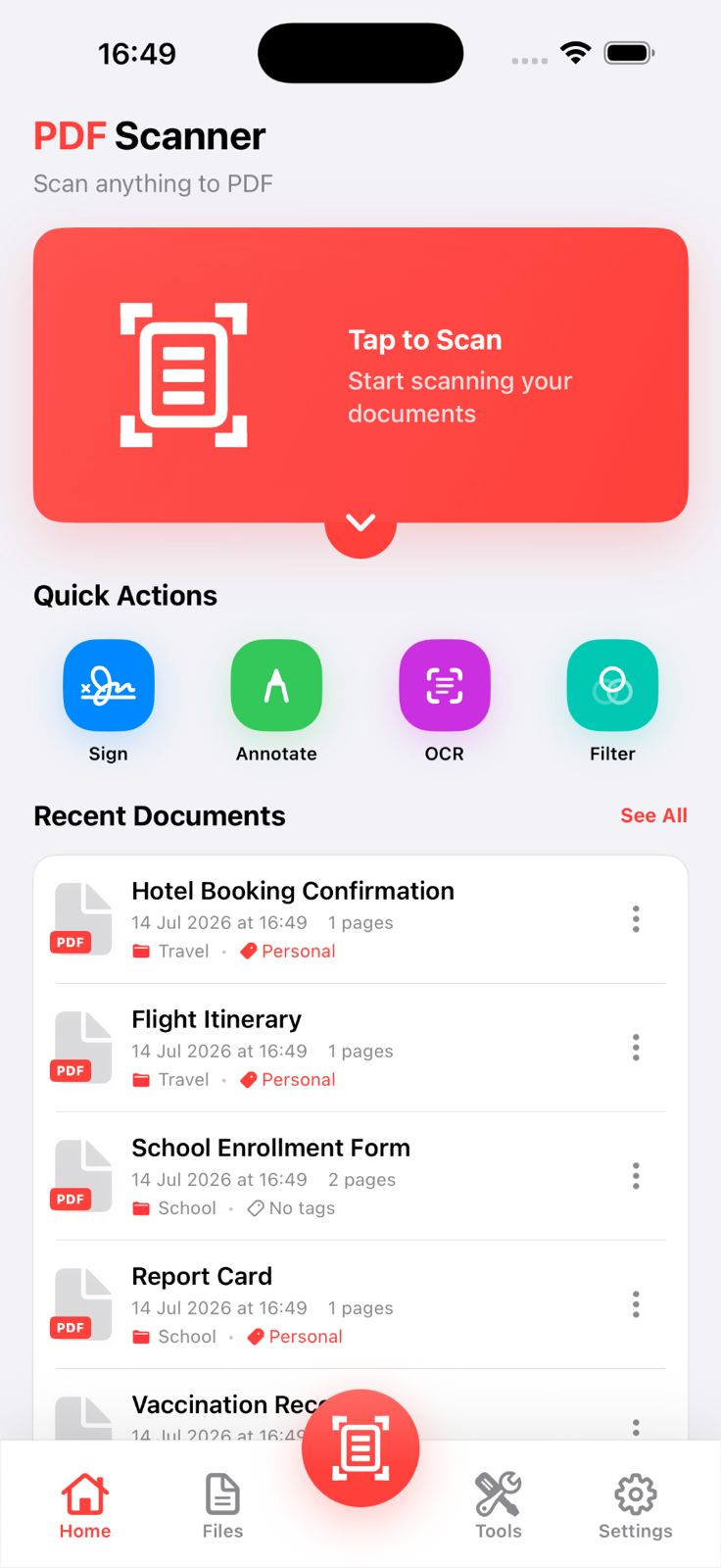
The scan card sits front and centre, quick actions are a thumb-stretch away, and your latest documents are already waiting underneath — no menu diving.
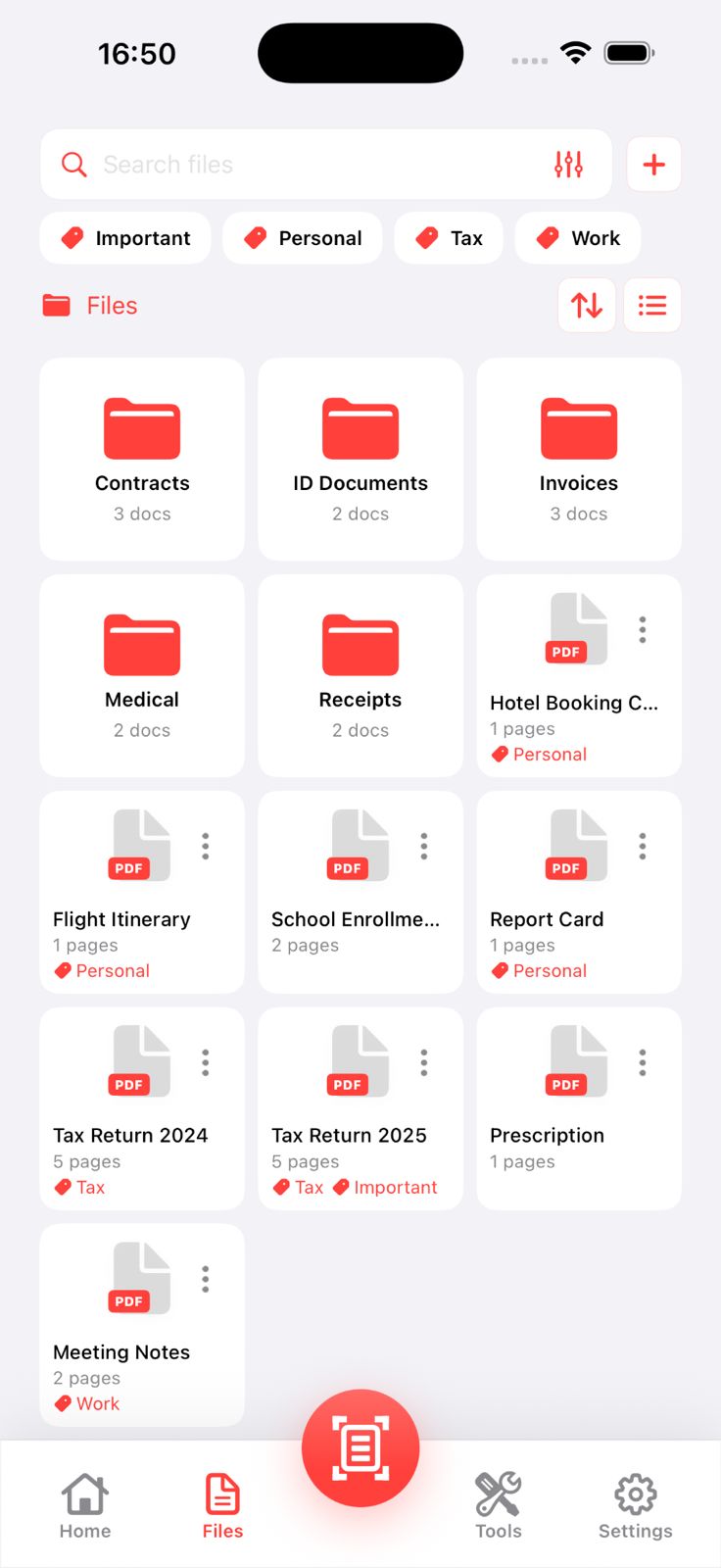
Contracts, ID documents, invoices, medical records, receipts — file each scan where it belongs and colour-tag it Important, Personal, Tax or Work. Switch between list and grid whenever you like.
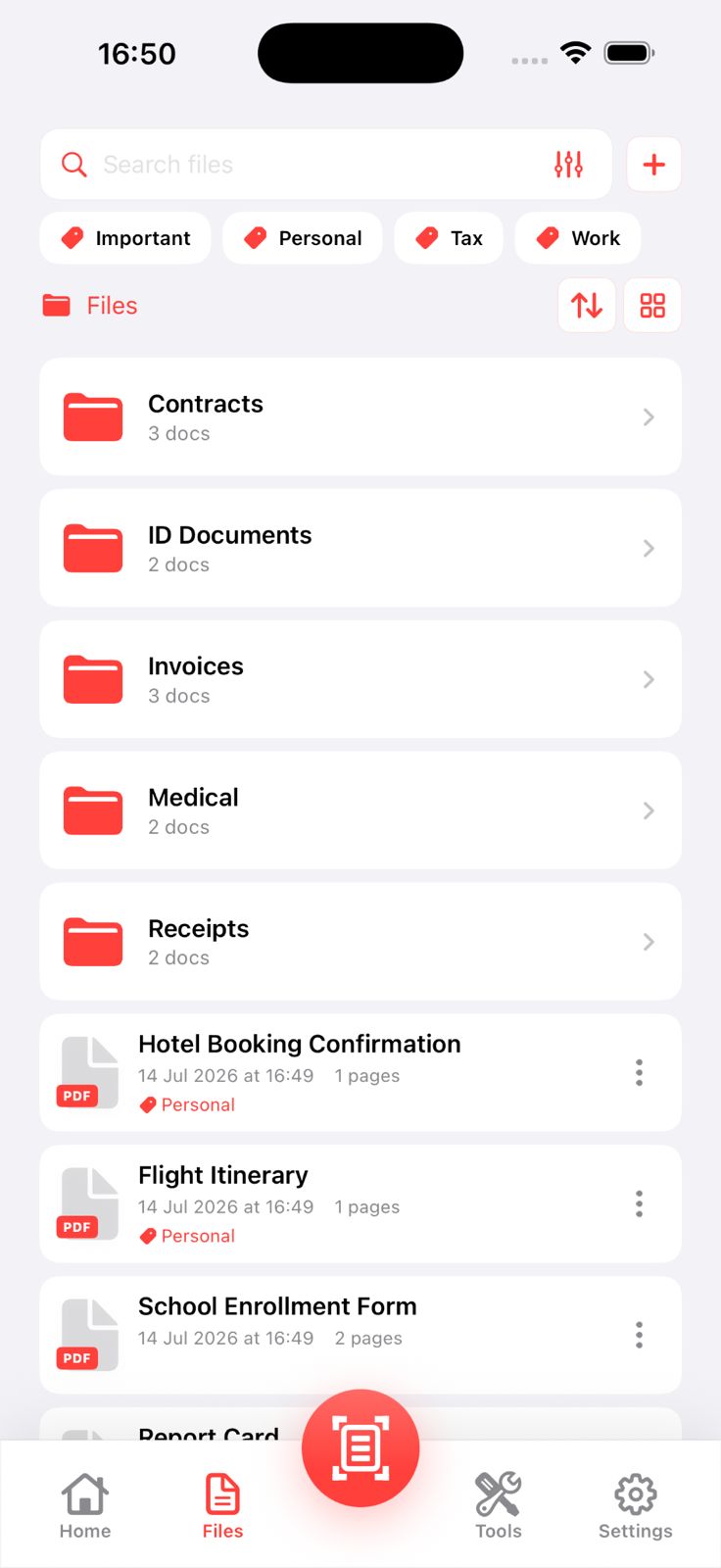
Switch to grid and every folder and document becomes a thumbnail card with its page count and tags. Recognising the right file beats scrolling a list of names.
Four steps, no settings to learn. The longer version lives in the full scanning guide.
Tap the scan button from anywhere in the app. The camera opens with edge detection already running.
Hold the phone over the document. The frame locks onto the paper edges and captures automatically once the shot is steady.
Apply a filter to fix uneven lighting, crop or rotate, and add more pages to the same document if you need them.
Name the document, drop it into a folder, add a tag, then export it or let iCloud back it up.
Everything you would normally open a desktop editor for, sitting in the Tools tab.
Download and start scanning without paying anything. PDF Scanner Premium unlocks the full toolset, and every plan except the discounted monthly one starts with a 3-day free trial.
Short jobs and one-off paperwork.
com.pdfscanner.weekly3d
Get WeeklyMonth-to-month, cancel anytime.
com.pdfscanner.monthly3d
Get MonthlySkip the trial, pay less per month.
com.pdfscanner.monthly
Get Monthly (no trial)Works out at $5.83 a month.
com.pdfscanner.yearly3d
Get YearlyPrices are in USD and shown before purchase in the App Store; your local currency and any tax are applied by Apple. Subscriptions renew automatically unless auto-renew is switched off at least 24 hours before the period ends — manage or cancel them any time in Settings → Apple ID → Subscriptions. A free trial that is not cancelled before it ends converts into a paid subscription. Refunds are handled by Apple at reportaproblem.apple.com. Full details in the Terms of Use.
Scanning, OCR and editing all run on-device using Apple's own frameworks. There is no server in the middle, because there is no server at all.
Install and start scanning. We never ask for an email address, because we have nowhere to put one.
Edge detection, OCR and filters run on your iPhone's own hardware. Nothing is uploaded for analysis.
Backup is optional and goes straight into your own private iCloud container, encrypted by Apple.
The app is free to download and the core scanning, filing and export tools are included. Any optional extras are shown clearly inside the app before you commit to anything.
Yes. Scanning, OCR, signing, merging and exporting all run on the device. A connection is only needed if you turn on iCloud sync or share a file online.
OCR uses Apple's on-device text recognition, so it covers the languages your version of iOS supports — including English, Turkish and most Latin-script languages.
Yes. Keep capturing pages and they collect into a single PDF, which you can reorder, rotate or split apart afterwards with the page tools.
Three ways: turn on iCloud sync and open them in Files on a Mac, use Export to send via AirDrop or email, or share straight into any app through the iOS share sheet.
Anything stored only on the device goes with it, so export or enable iCloud backup first. Documents already backed up to iCloud come back when you reinstall.
Starting a plan that includes a trial gives you full Premium access for three days at no cost. Cancel any time before the trial ends in Settings → Apple ID → Subscriptions and you will not be charged. If you do not cancel, the trial converts into a paid subscription automatically.
One costs $19.99 per month and includes a 3-day free trial; the other costs $16.99 per month with no trial. If you already know you want the app, the cheaper plan saves $3 every month. If you want to try it first, take the trial plan.
PDF Scanner runs on iPhone and iPad with iOS 16.0 or later. Scanning quality depends on the camera, but every supported device can capture, run OCR and edit.
Scan the stack sitting on your desk, then let your iPhone keep track of it from here on.
Download on theApp Store